
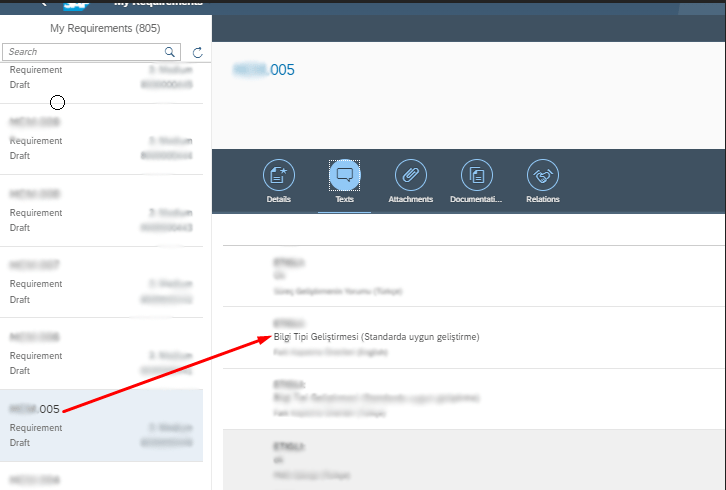
He we go,
I had a problem when I import SAP SOLMAN requirements object with program /SALM/REQUIREMENT_IMPORT. There was no mapping to import text files when creating the document. Either I would enter the text files one by one with my hand or I would write a program that would import the text files in bulk. i choose second one, program!
My Main Code (You can find the FORMS at the bottom of the blog.)
PARAMETERS: pa_type TYPE tdid DEFAULT 'Z004',
            pa_file TYPE rlgrap-filename DEFAULT 'C:\'.

AT SELECTION-SCREEN ON VALUE-REQUEST FOR pa_file.


  PERFORM get_filename.
  PERFORM upload_file.
  PERFORM get_orders.
  PERFORM set_texts.
  PERFORM save_texts.
My Definitions
TYPES: BEGIN OF types_ztrtexts,
         line(132) TYPE c,
       END OF types_ztrtexts.
TYPES: t_char1000 TYPE c LENGTH 10000.
TYPES: ztrtexts TYPE TABLE OF types_ztrtexts.

DATA: et_lines TYPE ztrtexts,
      ls_lines TYPE types_ztrtexts.


TYPES : BEGIN OF gt_excel,
          document TYPE crmt_process_description,
          text     TYPE t_char1000,

        END OF gt_excel.

DATA : it_gt_excel TYPE STANDARD TABLE OF gt_excel,
       wa_gt_excel TYPE gt_excel.

DATA: lt_guid     TYPE crmt_object_guid_tab,
      lv_guid     TYPE crmt_object_guid,
      lt_order    TYPE crmt_orderadm_h_wrkt,
      ls_order    TYPE crmt_orderadm_h_wrk,
      lt_text_wrk TYPE crmt_text_wrkt,
      ls_text_wrk TYPE crmt_text_wrk.

DATA: lt_input_fieldname TYPE crmt_input_field_names_tab,
      ls_input_fieldname TYPE crmt_input_field_names,
      lt_object_to_save  TYPE crmt_object_guid_tab.
- Importing Excel file
Before importing the Excel file, it is necessary to know the columns of the excel file. I have key and text columns. Keys’re associated with the sap document. Columns of texts are the texts that I will update or upload.
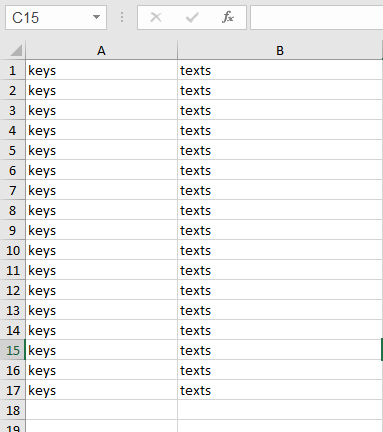
Before opening the excel file, we find the location of the excel file on windows. (pa_file = location of excel)
FORM get_filename.

  DATA: lt_file        TYPE filetable,
            ls_file         TYPE file_table,
            lv_rc           TYPE i,
            lv_desktop TYPE string.

  CALL METHOD cl_gui_frontend_services=>get_desktop_directory
    CHANGING
      desktop_directory    = lv_desktop
    EXCEPTIONS
      cntl_error           = 1
      error_no_gui         = 2
      not_supported_by_gui = 3
      OTHERS               = 4.
  cl_gui_cfw=>update_view(
    EXCEPTIONS
      cntl_system_error = 1
      cntl_error        = 2
      OTHERS            = 3 ).

  lv_desktop = lv_desktop && '\*.XLS*'.

  CALL METHOD cl_gui_frontend_services=>file_open_dialog
    EXPORTING
      default_extension       = 'XLS'
    CHANGING
      file_table              = lt_file
      rc                      = lv_rc
    EXCEPTIONS
      file_open_dialog_failed = 1
      cntl_error              = 2
      error_no_gui            = 3
      not_supported_by_gui    = 4
      OTHERS                  = 5.

  READ TABLE lt_file INTO ls_file INDEX 1.
  pa_file = ls_file-filename.

ENDFORM.
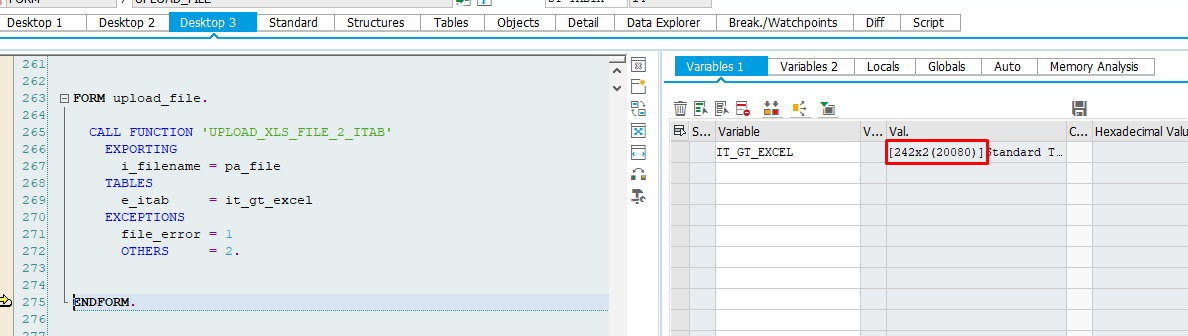
2. After successfully getting excel location we can import excel into our program in tabular form.
  CALL FUNCTION 'UPLOAD_XLS_FILE_2_ITAB'
    EXPORTING
      i_filename = pa_file
    TABLES
      e_itab     = it_gt_excel
    EXCEPTIONS
      file_error = 1
      OTHERS     = 2.
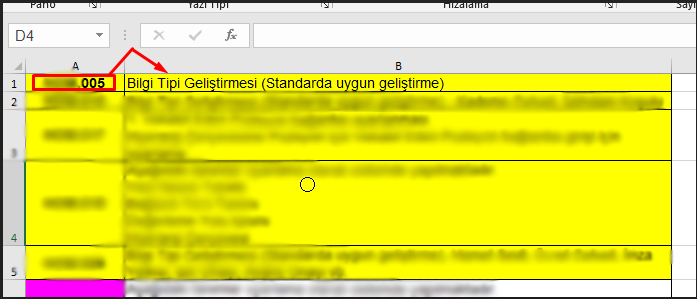
3. i selected the documents i want to upload/update.
FORM get_orders.

  DATA: lv_desc TYPE crmt_process_description_uc.
  LOOP AT it_gt_excel INTO wa_gt_excel.
    lv_desc = wa_gt_excel-document .

    SELECT SINGLE guid FROM crmd_orderadm_h
       INTO lv_guid WHERE process_type = 'S1BR'
      AND description_uc = lv_desc.
    APPEND lv_guid TO lt_guid.

    CLEAR : lv_guid.
  ENDLOOP.

  CALL FUNCTION 'CRM_ORDER_READ'
    EXPORTING
      it_header_guid = lt_guid
    IMPORTING
      et_orderadm_h  = lt_order
      et_text               = lt_text_wrk.


  IF sy-subrc <> 0.
* Implement suitable error handling here
  ENDIF.

ENDFORM.
4. I set the relevant texts to the document one by one. !! pa_type = type of text to add
FORM set_texts.

  DATA: ls_text        TYPE crmt_text_com,
        lt_text        TYPE crmt_text_comt,
        ls_tline       TYPE tline,
        lt_orderadm_hh TYPE crmt_orderadm_h_comt.
  DATA: ls_input_filed    TYPE crmt_input_field,
        ls_logic_text_key TYPE stxh_key,
        lt_input_fileds   TYPE crmt_input_field_tab,
        et_exception      TYPE crmt_exception_t.

  DATA : lt_table TYPE TABLE OF string WITH HEADER LINE INITIAL SIZE 0,
         dies     TYPE char1 VALUE '#',
         lv_size  TYPE i.
  LOOP AT lt_order INTO ls_order.

*    LOOP AT lt_text_wrk INTO ls_text_wrk WHERE ref_guid = ls_order-guid
*      AND stxh-tdid = pa_type AND stxh-tdspras = 'T'.

    READ TABLE it_gt_excel INTO wa_gt_excel
     WITH KEY document = ls_order-description.

    IF sy-subrc  = 0 .
      ls_text-ref_handle = 1.
      ls_text-ref_guid = ls_order-guid.
      ls_text-ref_kind = 'A'.
      ls_text-text_object = 'CRM_ORDERH'.
      ls_text-tdid = pa_type.
      ls_text-tdspras = 'TR'. " or TR
      ls_text-mode = 'I'.


*      SPLIT wa_gt_excel-text AT dies INTO TABLE lt_table.

      PERFORM split_text USING wa_gt_excel-text 132 .

      CLEAR : ls_text-lines.

      LOOP AT et_lines INTO ls_lines.
        ls_tline-tdformat = '*'.
        ls_tline-tdline = ls_lines-line.

        APPEND ls_tline TO ls_text-lines.
      ENDLOOP.

      INSERT ls_text INTO TABLE lt_text.

      CLEAR ls_text .

      ls_input_fieldname-fieldname = 'LINES'.

      APPEND ls_input_fieldname TO lt_input_fieldname.


      CALL FUNCTION 'CRM_TEXT_MAINTAIN_OW'
        EXPORTING
          it_text                  = lt_text
          iv_object_guid           = ls_order-guid
          iv_object_kind           = 'A'
*         IV_TEXT_PROCEDURE        =
*         IV_TEXTOBJECT            =
        CHANGING
          ct_input_field_names     = lt_input_fieldname
        EXCEPTIONS
          object_kind_unknown      = 1
          read_error_object_buffer = 2
          OTHERS                   = 3.
      IF sy-subrc <> 0.
* Implement suitable error handling here
      ENDIF.


      APPEND ls_order-guid TO lt_object_to_save.

      CLEAR: lt_table,lt_input_fieldname,lt_text,ls_input_fieldname,et_lines.
*    ENDLOOP.
    ENDIF.


  ENDLOOP.


ENDFORM.
5. The saving of maintained transactions.
FORM save_texts.

  DATA: lt_exception       TYPE crmt_exception_t,
        lt_object_not_save TYPE crmt_object_guid_tab.

  CHECK lt_object_to_save IS NOT INITIAL.
  CALL FUNCTION 'CRM_ORDER_SAVE'
    EXPORTING
      it_objects_to_save   = lt_object_to_save
    IMPORTING
      et_exception         = lt_exception
      et_objects_not_saved = lt_object_not_save
    EXCEPTIONS
      document_not_saved   = 1
      OTHERS               = 2.
  IF sy-subrc = 0 .
    COMMIT WORK AND WAIT.
  ENDIF.

ENDFORM.
Additional: Converting a string of data into a table with 132 characters per row.
FORM split_text USING iv_text TYPE t_char1000 iv_len TYPE i..

  DATA: lv_index     TYPE i,
        lv_len       TYPE i,
        lv_delimiter TYPE c VALUE space.
  FIELD-SYMBOLS: <lv_c>       TYPE c,
                 <lv_string>  TYPE c,
                 <lv_string1> TYPE c.
  DATA: lv_line(132) TYPE c.

*  ASSIGN LOCAL COPY OF INITIAL ztrtexts TO .


  ASSIGN iv_text TO <lv_string>.


  DO.
    lv_len = strlen( <lv_string> ).
    IF lv_len LE iv_len.
      lv_line = <lv_string>.
      APPEND lv_line TO et_lines.
      EXIT.

    ELSE.
      lv_index = iv_len.
      WHILE lv_index > 0.
        ASSIGN <lv_string>+lv_index(1) TO <lv_c>.
        IF <lv_c> = lv_delimiter.
          EXIT.
        ENDIF.
        SUBTRACT 1  FROM lv_index.
      ENDWHILE.
      IF lv_index = 0 .
        lv_index = iv_len.
      ENDIF.

      lv_line = <lv_string>(lv_index).
      APPEND lv_line TO et_lines.

      ASSIGN <lv_string> TO <lv_string1>.
      UNASSIGN <lv_string>.
      ADD 1 TO lv_index.
      lv_len = strlen( <lv_string1> ) - lv_index.
      ASSIGN <lv_string1>+lv_index(lv_len) TO <lv_string>.
      UNASSIGN <lv_string1>.
    ENDIF.
  ENDDO.
ENDFORM.
Result: We update/create SAP Business Transaction’s Texts from excel.
SAP FIORI TYPE
 Emre AYDIN - Kişisel Blog
Yorum bırakın